Jewelry Photography Tips: Complete Guide for UAE E-commerce Sellers
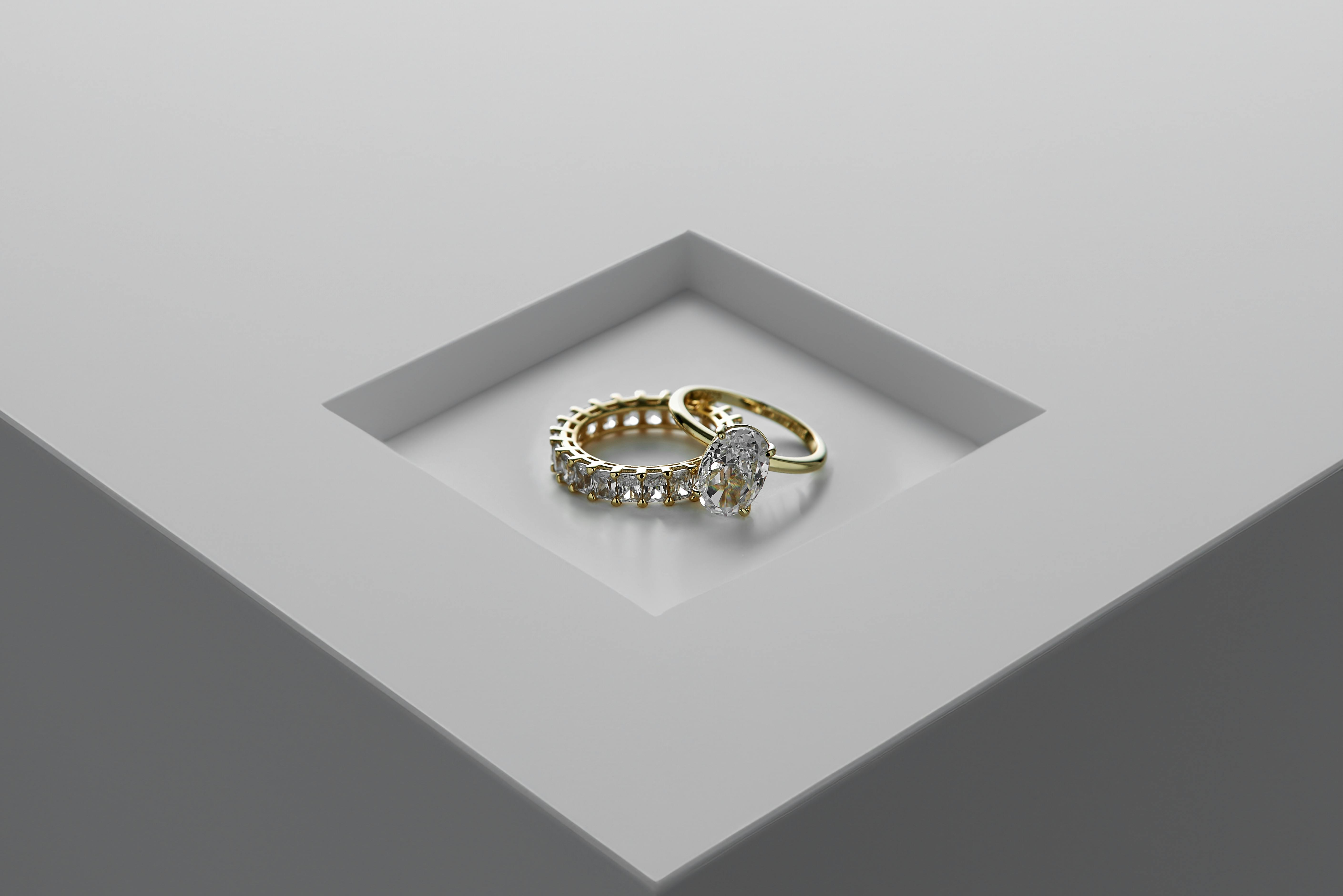
Jewelry is one of the most challenging products to photograph. The combination of highly reflective metals, light-refracting gemstones, and tiny intricate details makes it notoriously difficult to capture accurately. Yet those challenges also make great jewelry photography incredibly valuable—the difference between amateur and professional images directly impacts your perceived value and sales.
This guide is built for UAE e-commerce sellers who want to create jewelry images that compete with established brands. You'll learn how to control reflections, capture accurate colors, show intricate details, and produce marketplace-ready images without needing a professional studio.
Why Jewelry Photography Is Different
Before diving into techniques, it's important to understand what makes jewelry uniquely challenging:
- Extreme reflectivity: Polished gold, silver, and platinum act as mirrors, reflecting everything in the environment—including your camera and lights
- Light refraction: Gemstones bend light in complex ways, creating sparkle that's difficult to capture without overexposure
- Tiny size: Most jewelry pieces are small, requiring macro photography techniques and careful focus management
- Shallow depth of field: When photographing small objects up close, only a thin slice is in focus at any time
- Color accuracy: Buyers are extremely sensitive to color—gold that photographs orange or silver that looks blue erodes trust instantly
The good news: once you understand these challenges and learn the techniques to address them, you can create stunning jewelry images consistently.
Essential Equipment
Camera Options
Professional option: DSLR or mirrorless camera with manual controls
- Full manual control over aperture, shutter speed, ISO
- Ability to use macro lenses
- RAW file capture for better post-processing
- Budget: AED 2,500-15,000+ depending on model
Budget option: Smartphone with macro capabilities
- iPhone 13 Pro and newer have excellent macro modes
- Samsung Galaxy S21+ and newer offer close-focus capability
- Consider a clip-on macro lens (AED 30-150) for older phones
- Results won't match professional equipment but can be acceptable for starting out
Must-Have Accessories
| Item | Purpose | Price Range (AED) |
|---|---|---|
| Sturdy tripod | Stability for sharp images and focus stacking | 100-500 |
| Macro lens or extension tubes | Close-up detail capture | 300-2,000 |
| Light tent or softbox | Diffused, even lighting | 100-400 |
| White/silver reflectors | Fill shadows, add highlights | 30-150 |
| Microfiber cloth | Cleaning jewelry before shooting | 10-30 |
| Cotton gloves | Handle jewelry without leaving fingerprints | 15-30 |
| Sticky tack or museum gel | Position jewelry precisely | 20-50 |
| Gray card | Accurate white balance calibration | 30-80 |
Nice-to-Have Accessories
- Ring holder/display stand: Purpose-built props for consistent ring positioning
- Acrylic risers: Elevate pieces for better angles
- Fishing line/dental floss: Suspend necklaces and pendants invisibly
- Black velvet: Dramatic background option for certain pieces
- Polarizing filter: Advanced reflection control
Lighting: The Foundation of Jewelry Photography
Lighting makes or breaks jewelry photography. The goal is soft, even illumination that reveals detail without creating harsh reflections or blown-out highlights.
The Golden Rule: Diffused Light
Direct light hitting polished metal creates harsh, mirror-like reflections. Diffused light spreads evenly, producing soft gradients that make metals gleam naturally.
Ways to diffuse light:
- Light tent: An enclosed white fabric tent that surrounds the jewelry, creating soft light from all directions
- Softboxes: Large light sources with diffusion panels that soften shadows
- White paper/fabric: DIY diffusion material placed between light source and jewelry
- Natural window light: Overcast days or north-facing windows provide naturally soft light
Basic Two-Light Setup
A simple but effective setup for most jewelry:
- Place two softboxes or diffused lights at 45-degree angles on either side of the jewelry
- Position lights slightly above the piece, angled down
- Add a white reflector card opposite the main light to fill shadows
- Use a small overhead light or reflector to add sparkle to gemstones
Key principle: Lights at 45 degrees direct reflections away from the camera lens, preventing harsh mirror spots.
Light Tent Setup (Recommended for Beginners)
A light tent simplifies jewelry photography dramatically:
- Place jewelry inside the white tent on a suitable background
- Position external lights outside the tent—they illuminate through the fabric
- The tent diffuses light from all angles automatically
- Add a small opening at the top or side for your camera lens
Benefits: Eliminates most reflection problems, consistent results, minimal setup time.
Lighting by Jewelry Type
| Jewelry Type | Lighting Approach | Special Considerations |
|---|---|---|
| Gold | Soft, warm-toned diffused light | Gold photographs warmer than it appears—may need slight cooling in post |
| Silver/Platinum | Soft, cool-toned diffused light | Highly reflective—use maximum diffusion, avoid bare bulbs |
| Diamonds | Small focused highlights + diffused fill | Need controlled "sparkle" without overexposure |
| Colored gemstones | Even diffused light, color-accurate | Light color temperature affects how gems appear |
| Pearls | Very soft, even illumination | Preserve natural luster without harsh spots |
| Mixed materials | Multiple light sources, careful balance | Different materials reflect differently—balance exposure |
Controlling Reflections
Reflections are the biggest challenge in jewelry photography. Here's how to manage them:
Understanding the Problem
Polished metal surfaces act like mirrors. They reflect:
- Your camera and lens (appearing as dark spots)
- Light sources (appearing as bright hot spots)
- The surrounding environment (walls, ceiling, you)
Solutions
1. Use a light tent
The white fabric creates a uniform white environment that reflects cleanly onto the jewelry, eliminating dark spots and environmental reflections.
2. Create a "lens hide"
Cut a small hole in a large white card and shoot through it. The card reflects white onto the jewelry while hiding your dark camera and lens.
3. Position lights correctly
Keep lights at 45 degrees or higher to direct reflections away from the camera. Never place lights directly in front of highly reflective jewelry.
4. Increase distance
Shooting from further away (and cropping in post) reduces the apparent size of any camera reflection in the jewelry.
5. Use polarizing filters
A polarizing filter on your lens, combined with polarizing film on your lights, can dramatically reduce glare. This is an advanced technique but highly effective for problematic pieces.
6. Post-processing
Minor reflections can be removed in Photoshop using clone stamp or healing brush tools. However, it's always better to minimize reflections during shooting.
Focus and Sharpness
The Depth of Field Challenge
When photographing small objects up close, depth of field becomes extremely shallow. Even at f/16, only a few millimeters may be in focus. This means a ring photographed straight-on might have sharp edges but a blurry center.
Camera Settings for Jewelry
| Setting | Recommended Value | Why |
|---|---|---|
| Aperture | f/8 to f/16 | Balances depth of field with lens sharpness. Avoid f/22+ (diffraction softens images) |
| ISO | 100-200 | Lowest noise, cleanest images |
| Shutter speed | Whatever achieves correct exposure | With tripod, slow speeds are fine |
| White balance | 5000-6500K or custom gray card | Accurate color representation |
| Focus mode | Manual | Autofocus often struggles with reflective surfaces |
| File format | RAW | Maximum flexibility in post-processing |
Focus Stacking: The Professional Solution
Focus stacking is essential for professional jewelry photography. It combines multiple images taken at different focus points into one perfectly sharp image.
How it works:
- Mount camera on tripod (stability is critical)
- Take first shot focused on the front of the jewelry
- Adjust focus slightly deeper, take another shot
- Repeat until you've captured the entire depth of the piece (typically 5-20 shots)
- Combine images in software (Photoshop, Helicon Focus, or similar)
Software options for focus stacking:
- Adobe Photoshop (Edit → Auto-Blend Layers)
- Helicon Focus (dedicated stacking software)
- Zerene Stacker (professional option)
When to use focus stacking:
- Rings photographed at an angle
- Any piece with significant depth
- Detailed pieces where sharpness throughout is important
- Professional e-commerce where quality matters
Color Accuracy
Accurate color is non-negotiable in jewelry photography. Customers who receive gold that looks different from the photos will return products and lose trust.
White Balance
Always set white balance manually:
- Place a gray card next to your jewelry under your lighting setup
- Take a reference shot
- Use this to set custom white balance in-camera or adjust in post
- Re-calibrate whenever you change lighting
Avoid auto white balance: Reflective surfaces confuse camera sensors, causing inconsistent colors between shots.
Metal-Specific Color Tips
Yellow gold:
- Often photographs warmer/more orange than reality
- May need slight cooling in post-processing
- Compare to actual piece on a calibrated monitor
White gold/Silver/Platinum:
- Can pick up color casts from environment
- Use neutral backgrounds and lighting
- May appear slightly blue under certain lights
Rose gold:
- Challenging to capture accurate pink-gold tone
- Avoid overly warm lighting that makes it look like yellow gold
- Check against actual piece carefully
Gemstone Colors
- Use color-corrected, daylight-balanced lights (5500K)
- Avoid mixing light sources with different color temperatures
- Colored environments can cast unwanted tints onto stones
- Shoot RAW for maximum color adjustment flexibility
Photographing Different Jewelry Types
Rings
Positioning:
- Use sticky tack or museum gel to hold ring upright
- Angle slightly toward camera (not perfectly vertical)
- Position gemstone as the focal point
Angles to capture:
- 3/4 view showing stone and band
- Top-down for overall design
- Profile view for band thickness
- Detail shot of stone/setting
Common mistakes:
- Shooting too flat (loses dimension)
- Visible sticky tack in shot
- Band out of focus due to shallow depth of field
Necklaces and Chains
Positioning:
- Drape in natural curve mimicking how it falls when worn
- Use a small plate or circular form as guide, then remove
- For pendants, use fishing line to suspend invisibly
Angles to capture:
- Full length showing chain and pendant
- Close-up of pendant/focal point
- Clasp detail
- On-model shot showing how it hangs
Pro tip: Flat-lay necklace photography works well. Shape the chain into an attractive curve on a flat background.
Earrings
Positioning:
- Hang from thin wire for drop earrings
- Lay flat for studs
- Always photograph pairs together for consistency
Angles to capture:
- Straight-on showing symmetry
- Slight angle for dimension
- On-model showing scale and how they hang
Challenge: Matching exposure on both earrings when light falls unevenly.
Bracelets
Positioning:
- Display on bracelet stand/cone for 3D effect
- Flat lay in circular shape
- On-model showing fit
Angles to capture:
- Full piece showing design
- Clasp detail
- Close-up of charm or focal point
- Interior showing any engravings
Watches
Special considerations:
- Crystal/glass face creates additional reflections
- Set time to 10:10 (industry standard—creates pleasing symmetry)
- Polish case thoroughly—every fingerprint shows
- May need composite editing to manage dial vs. case reflections
Backgrounds and Styling
E-commerce Requirements
For Amazon UAE and Noon, main images typically need:
- Pure white background (RGB 255, 255, 255)
- Product filling 85%+ of frame
- No props, text, or watermarks
Background Options
| Background | Best For | Considerations |
|---|---|---|
| Pure white | E-commerce, marketplaces | Amazon/Noon compliant, clean, professional |
| Black velvet | Dramatic presentation, diamonds | Makes sparkle pop, luxury feel |
| Gray gradient | Editorial, brand shots | Sophisticated, modern look |
| Marble/stone | Lifestyle images | Luxury association, texture interest |
| Fabric/linen | Organic, artisan brands | Warmth, handmade aesthetic |
Lifestyle and Styled Shots
Beyond pure product shots, lifestyle images help customers imagine wearing your jewelry:
- On-model photography: Shows scale, how pieces fall, real-world appearance
- Flat-lay styling: Arrange multiple pieces with complementary props
- Detail context: Show craftsmanship details that communicate quality
Styling rules:
- Props should complement, not compete with, the jewelry
- Less is usually more—don't overcrowd
- Maintain consistent brand aesthetic across images
Post-Processing
Essential Edits
1. White balance correction
Even with gray card calibration, minor adjustments may be needed for perfect accuracy.
2. Exposure adjustment
Ensure metals appear bright and luminous without blown highlights.
3. Background cleanup
Make white backgrounds truly white (RGB 255, 255, 255). Remove dust, lint, or imperfections.
4. Spot removal
Remove dust spots on jewelry, minor scratches, or small imperfections.
5. Focus stacking merge
Combine multiple focus images if used.
6. Minor reflection cleanup
Remove unavoidable small reflections using clone stamp or healing tools.
What NOT to Over-Edit
There's a balance between enhancement and misrepresentation:
- Don't over-polish: If the result looks like a 3D render rather than a photograph, you've gone too far
- Don't change colors: The image should match the actual product
- Don't remove flaws that exist: If there's a visible inclusion in a gemstone, don't edit it out
- Don't over-saturate: Intense colors look appealing but increase return rates when products don't match
Recommended Software
- Adobe Lightroom: Color correction, exposure, basic cleanup
- Adobe Photoshop: Focus stacking, detailed retouching, background work
- Capture One: Professional color grading and tethered shooting
- Snapseed (mobile): Quick edits, white balance, exposure
When to Outsource
Jewelry photography requires significant skill and equipment. Consider outsourcing if:
- You're selling high-value pieces where image quality directly impacts sales
- You lack time to develop photography skills
- You have large catalogs requiring consistent quality
- Your pieces require specialized techniques (focus stacking, reflection control)
Outsourcing Options in Dubai/UAE
Professional jewelry photographers:
- Cost: AED 200-800 per piece
- Best for: Luxury items, complex pieces
- Includes: Full lighting setup, focus stacking, retouching
Photo editing services:
- Cost: AED 30-100 per image
- You shoot, they edit (background removal, color correction, cleanup)
- Good middle ground if you can capture decent raw images
AI-powered services:
- Cost: AED 25-75 per image
- Background removal and replacement
- Work well for simple pieces, may struggle with complex reflections
Common Mistakes and Solutions
| Mistake | Result | Solution |
|---|---|---|
| Dirty jewelry | Visible fingerprints, dust in photos | Clean thoroughly with microfiber, wear gloves |
| Harsh direct lighting | Blown highlights, harsh reflections | Use diffused light, light tent |
| Camera reflection visible | Dark spot in reflective surfaces | Use lens hide, increase distance, light tent |
| Out-of-focus areas | Blurry parts of jewelry | Use focus stacking, smaller aperture |
| Wrong white balance | Gold looks orange, silver looks blue | Use gray card, manual white balance |
| Inconsistent lighting | Different images look different | Document setup, use same settings |
| Overexposed gems | Lost sparkle detail, blown white spots | Reduce exposure, diffuse light more |
| Background not pure white | Amazon/Noon rejection | Check RGB values in editing, adjust curves |
Quality Checklist Before Upload
Before uploading any jewelry image:
- ☐ Image is sharp throughout (focus stacking if needed)
- ☐ No unwanted reflections of camera, lights, or environment
- ☐ Colors are accurate to actual piece
- ☐ Background is pure white (for marketplace listings)
- ☐ No dust, fingerprints, or scratches visible
- ☐ Gemstones show appropriate sparkle without overexposure
- ☐ Metal appears luminous but not blown out
- ☐ Resolution is at least 1000x1000 (2000x2000 recommended)
- ☐ File is JPEG format, under 10MB
- ☐ Multiple angles captured (front, detail, scale reference)
Frequently Asked Questions
Q: Can I photograph jewelry with just a smartphone?
A: Yes, but with limitations. Modern smartphones (iPhone 13 Pro+, Samsung Galaxy S21+) have capable cameras, and clip-on macro lenses help. However, you'll struggle with focus stacking, professional-level reflection control, and RAW capture. For starting out or lower-value pieces, smartphones work. For premium jewelry, invest in proper equipment or outsource.
Q: How do I make diamonds sparkle in photos?
A: Diamonds sparkle when small, focused light sources create points of brilliance. Use a mix of soft diffused light (for overall illumination) plus a small, bright accent light positioned to catch the diamond's facets. Don't overdo it—subtle sparkle looks natural, extreme sparkle looks artificial.
Q: Why does my gold jewelry look orange in photos?
A: This is a white balance issue. Gold naturally reflects warm tones, and cameras often exaggerate this. Use a gray card to set accurate white balance, and make minor cooling adjustments in post-processing. Always compare the final image to the actual piece.
Q: How many images do I need per jewelry piece?
A: For e-commerce, aim for 5-7 images per piece: main product shot, detail/close-up, alternative angle, scale reference, and lifestyle/on-model shot. Amazon allows up to 9 images—use them all. More images mean more confidence for buyers.
Q: Is focus stacking really necessary?
A: For professional e-commerce jewelry photography, yes. The shallow depth of field in macro photography means important parts of your jewelry will be blurry without it. For casual or social media use, you can skip it, but expect some soft areas in your images.
Start Creating Stunning Jewelry Images
Jewelry photography rewards patience and practice. The techniques aren't complicated once understood, but they require attention to detail:
- Start with lighting: Get diffused, even illumination right before worrying about anything else
- Control reflections: Use light tents, proper positioning, and lens hides
- Master focus: Learn focus stacking for professional-level sharpness
- Nail color accuracy: Always use gray cards and check against actual pieces
- Develop consistency: Document your setup so every shoot produces matching results
Your jewelry deserves images that capture its beauty and craftsmanship. Whether you build these skills yourself or partner with professionals, investing in quality photography pays dividends in customer trust, conversion rates, and brand perception.
Ready to transform your product photos?
Send us your photos and see the difference professional AI-enhanced imagery can make.
Get Your Free Sample